Product Packaging
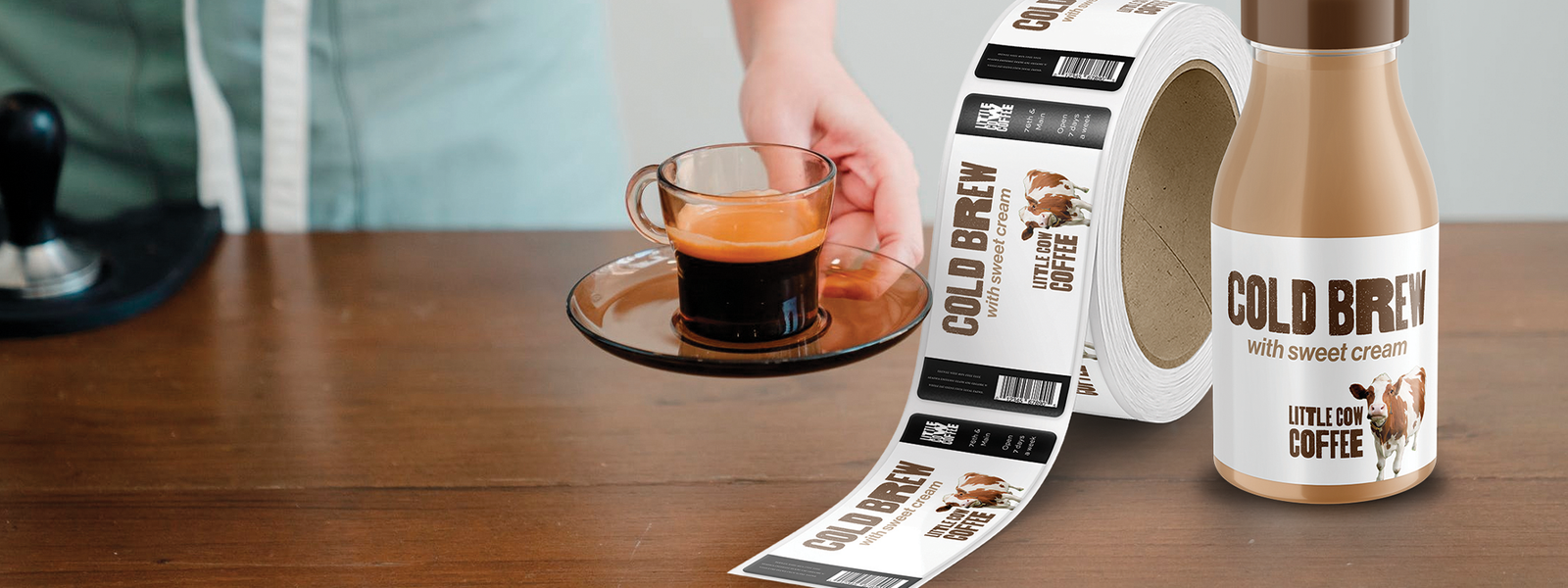
SKU, flavour, date, batch code, and barcode fields on packaging labels.

StikTec label printing guide
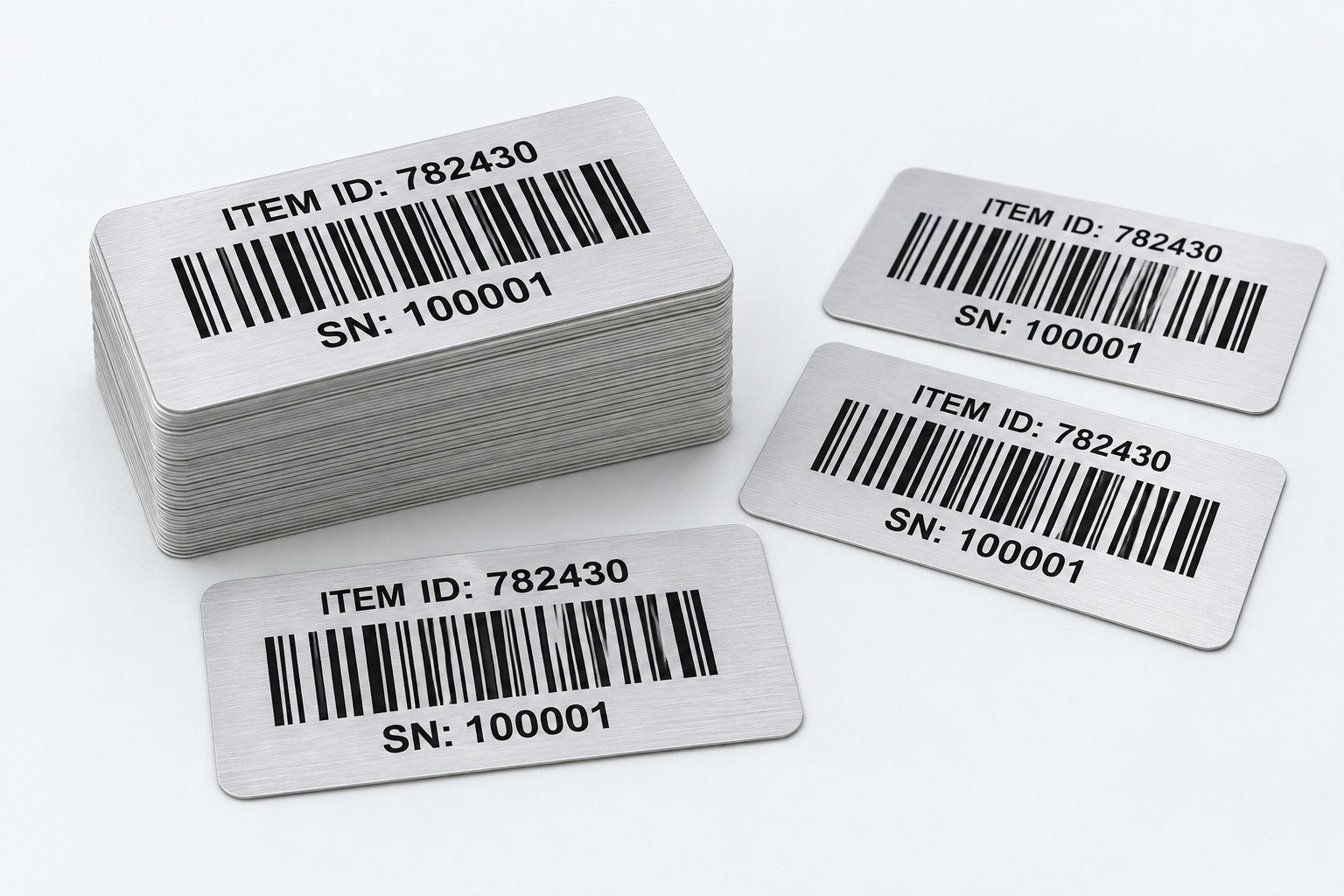
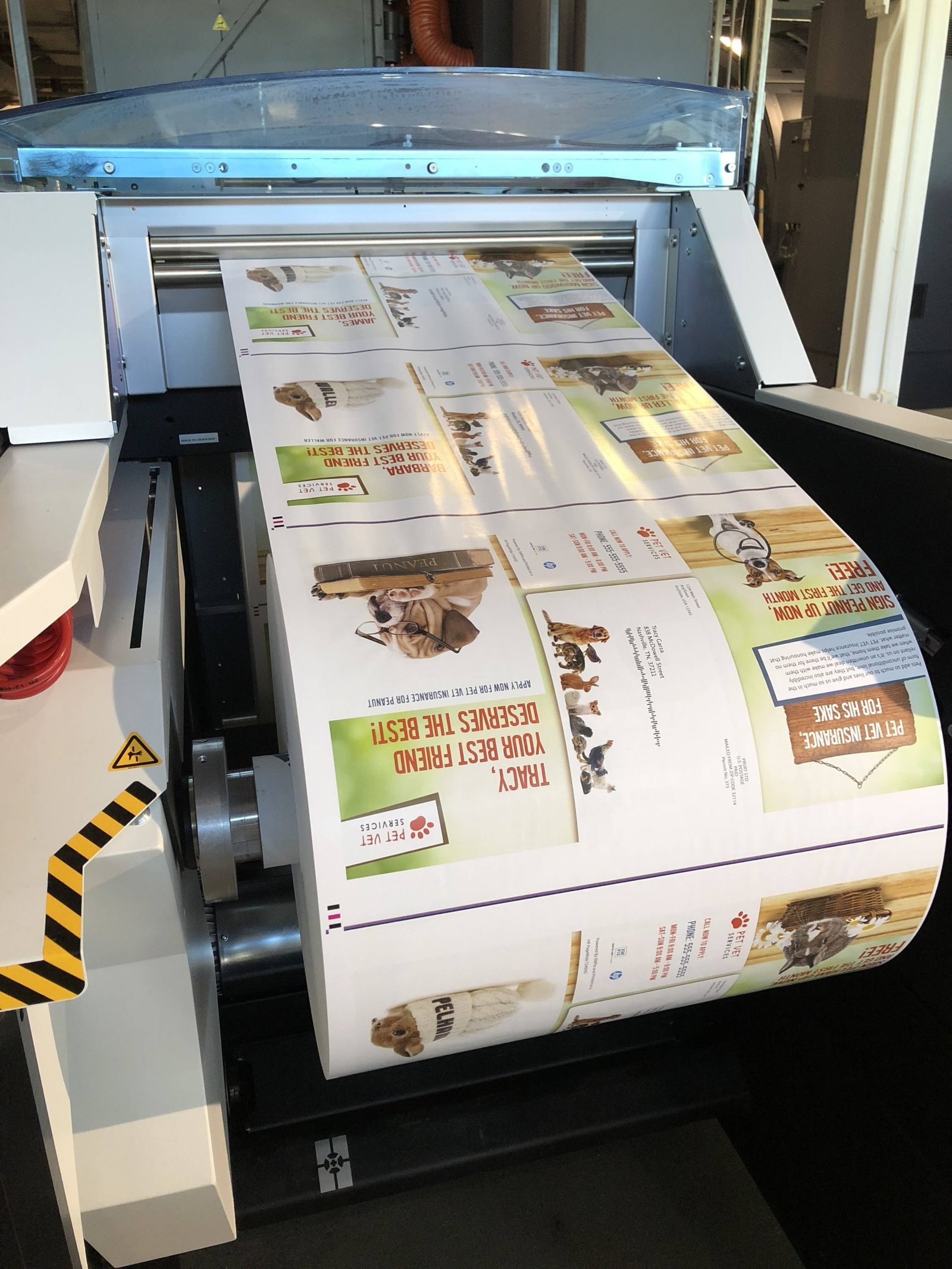
Variable data printing, often called VDP printing, is a digital print workflow where a fixed label design stays consistent while selected fields change from one label or printed item to the next. It is used when a common design needs unique serial numbers, barcodes, QR codes, batch codes, dates, asset IDs, product variants, or customer-specific information.
For B2B buyers, variable data printing connects approved artwork with controlled source data. The logo, border, material, and permanent instructions may remain the same while each record changes. This makes VDP useful for custom labels, serial number labels, barcode label printing, and product traceability labels, but the output is only as reliable as the data, mapping, review, and application brief.
Overview
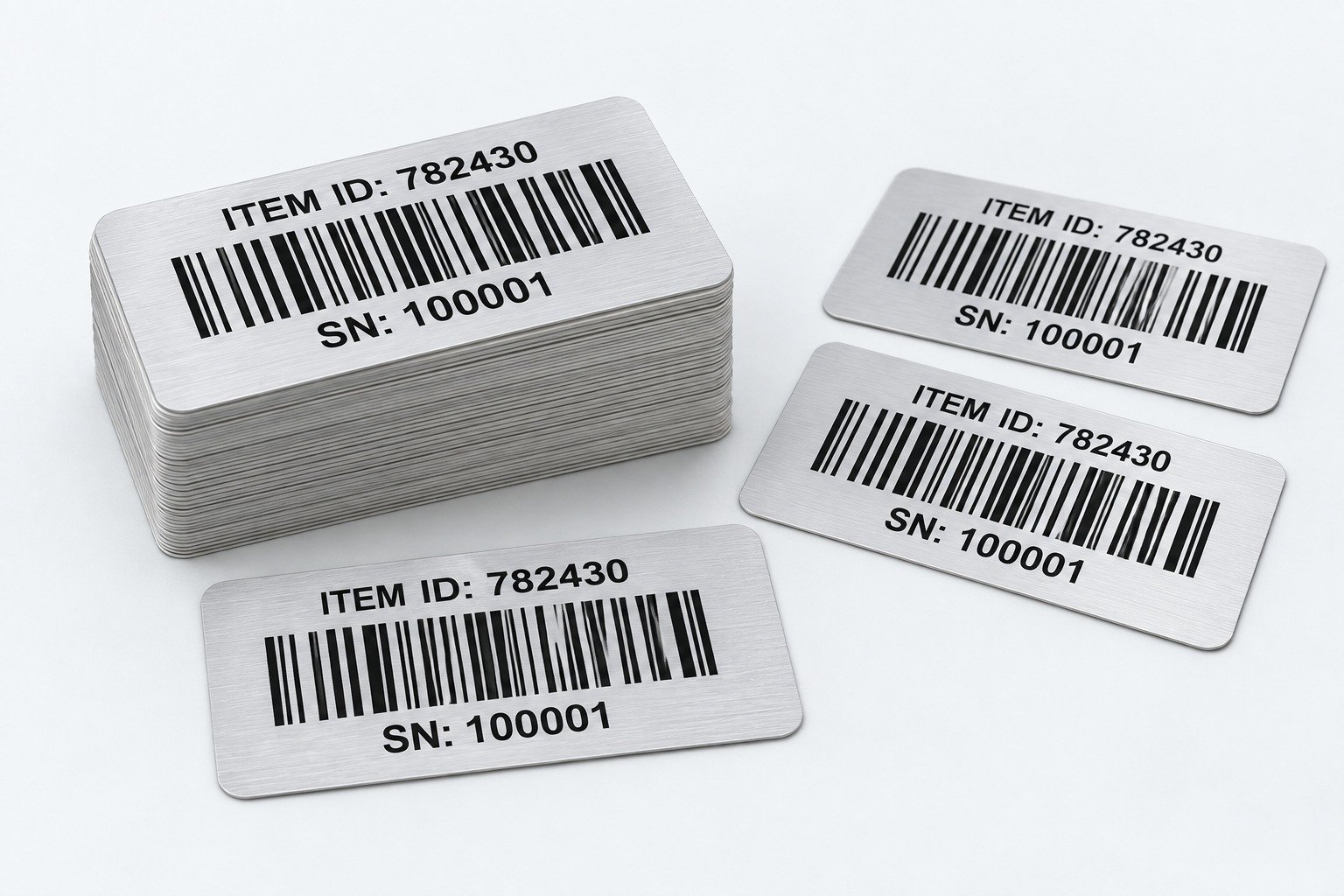
VDP is valuable where labels look similar but require item-level, batch-level, location-level, or customer-level information. A packaging manager can retain brand consistency while introducing a different SKU or date. An operations team can maintain a common equipment-label design while assigning a distinct asset ID to every unit.
It is important to distinguish design consistency from data accuracy. The artwork establishes the visible template. The approved data file or controlled numbering rule establishes what will change. If those two parts are not reviewed together, a label may be visually correct but contain an incorrect serial sequence, code value, date format, or field placement.
| Fixed Elements | Variable Elements | Example |
|---|---|---|
| Brand logo, colour, label border | Serial number | SN-000001 to SN-005000 |
| Product design | Batch or lot number | LOT-20261014-A |
| Product instructions | Barcode or QR code | One code per SKU or unit |
| Safety artwork | Date or version | Different manufacturing or revision dates |
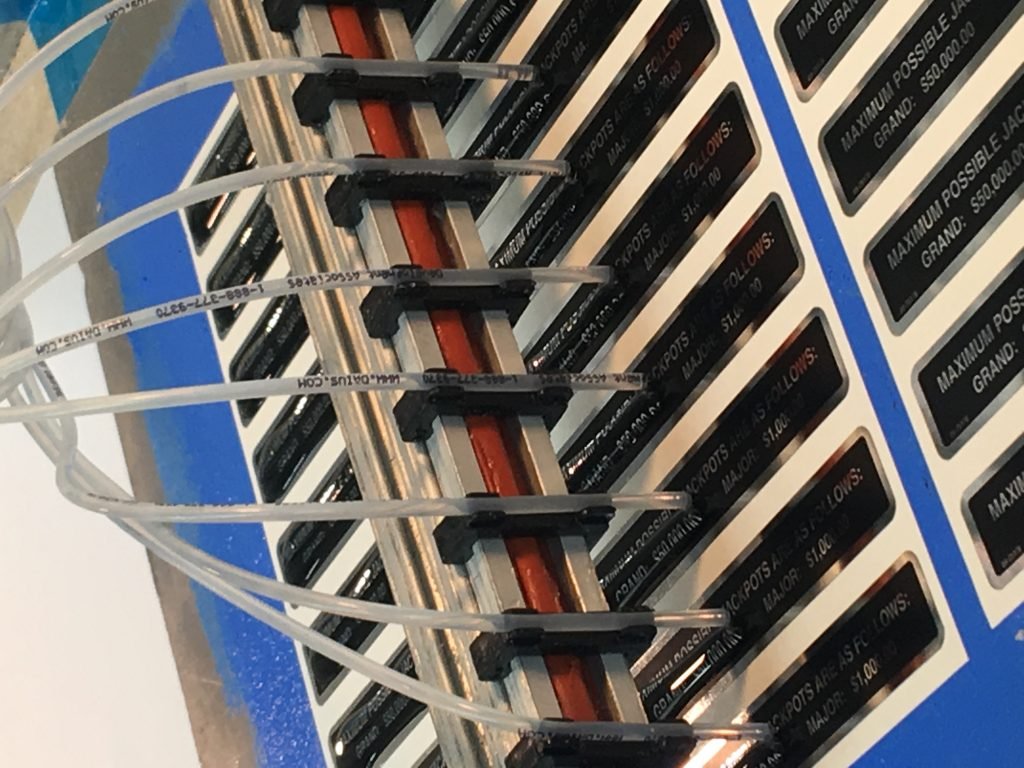
| Equipment label design | Asset ID | Individual equipment identifiers |
Workflow
VDP printing begins by separating permanent label elements from fields that change. A spreadsheet column, CSV export, database export, or controlled number sequence is mapped into the correct variable position in the artwork. One data row normally corresponds to one label or repeated record, depending on the agreed job rule.
Procurement teams should specify how records are handled: whether numbers can repeat, whether unused numbers must be reconciled, whether a range is grouped by carton or roll, and who approves the final handover file. These instructions prevent assumptions between data owner, artwork owner, and production team.
Comparison
Static printing repeats the same approved information throughout a run. Variable data printing retains the same approved design but introduces controlled changes. Both require correct artwork; VDP also requires a correct source file, clear mapping, and an explicit rule for every changing field.
That extra data layer changes the review process. Buyers should consider the longest field value, leading zeroes, special characters, date style, expected quantity, duplicate handling, and whether printed text must match encoded barcode or QR data exactly. A variable data label is not a generic label with a number dropped in at the end.
| Factor | Static Printing | Variable Data Printing |
|---|---|---|
| Main design | Identical across the run | Fixed design with selected changing fields |
| Label content | Same on every label | Can differ by label or batch |
| Typical use | Brand labels and standard packaging | Serialisation, barcodes, lots, asset IDs, personalisation |
| Data source | Artwork file | Artwork plus data source or sequence rule |
| Review priority | Artwork approval | Artwork approval plus data mapping and data review |
| Common risk | Incorrect artwork version | Incorrect artwork, data, mapping, sequence, or code requirements |
Data fields
Each variable field should have a named source, an agreed format, an owner, and a review step. This converts a general VDP request into a controlled instruction for artwork and production.
Do not assume that the visible label field is the source of truth. A serial number can be generated from a rule, while a barcode may encode a different representation of the same data. Define exactly what each field shows and what each code contains.

| Variable Field | Common Label Application | Buyer Input Needed |
|---|---|---|
| Serial number | Equipment nameplates | Start number, prefix, suffix, quantity, sequence rule |
| Barcode | Inventory or retail labels | Symbology, encoded data, sizing, and scan requirements |
| QR code | Product engagement labels | Approved destination URL or encoded content |
| Batch code | Food, cosmetics, industrial products | Format, source, placement, and human-readable text |
| Asset ID | Asset tags | Unique ID list, barcode requirement, material environment |
| Expiry date | Product packaging | Date format, source data, legal review responsibility |

Code planning
VDP can place variable barcodes and QR codes on labels, but correct data and print suitability must be planned. A barcode that resembles a barcode may still fail if its encoded value, symbol type, contrast, size, quiet zone, placement, material, or scanning environment is unsuitable.
GS1 standards provide detailed requirements for many barcode applications. The correct specification depends on the code type and intended application. StikTec does not claim GS1 certification or barcode-verification capability unless those activities are separately agreed.
Business applications
SKU, flavour, date, batch code, and barcode fields on packaging labels.

Model, serial, rating, and revision data on identification labels.

Asset IDs, location codes, and scan-ready records for equipment.
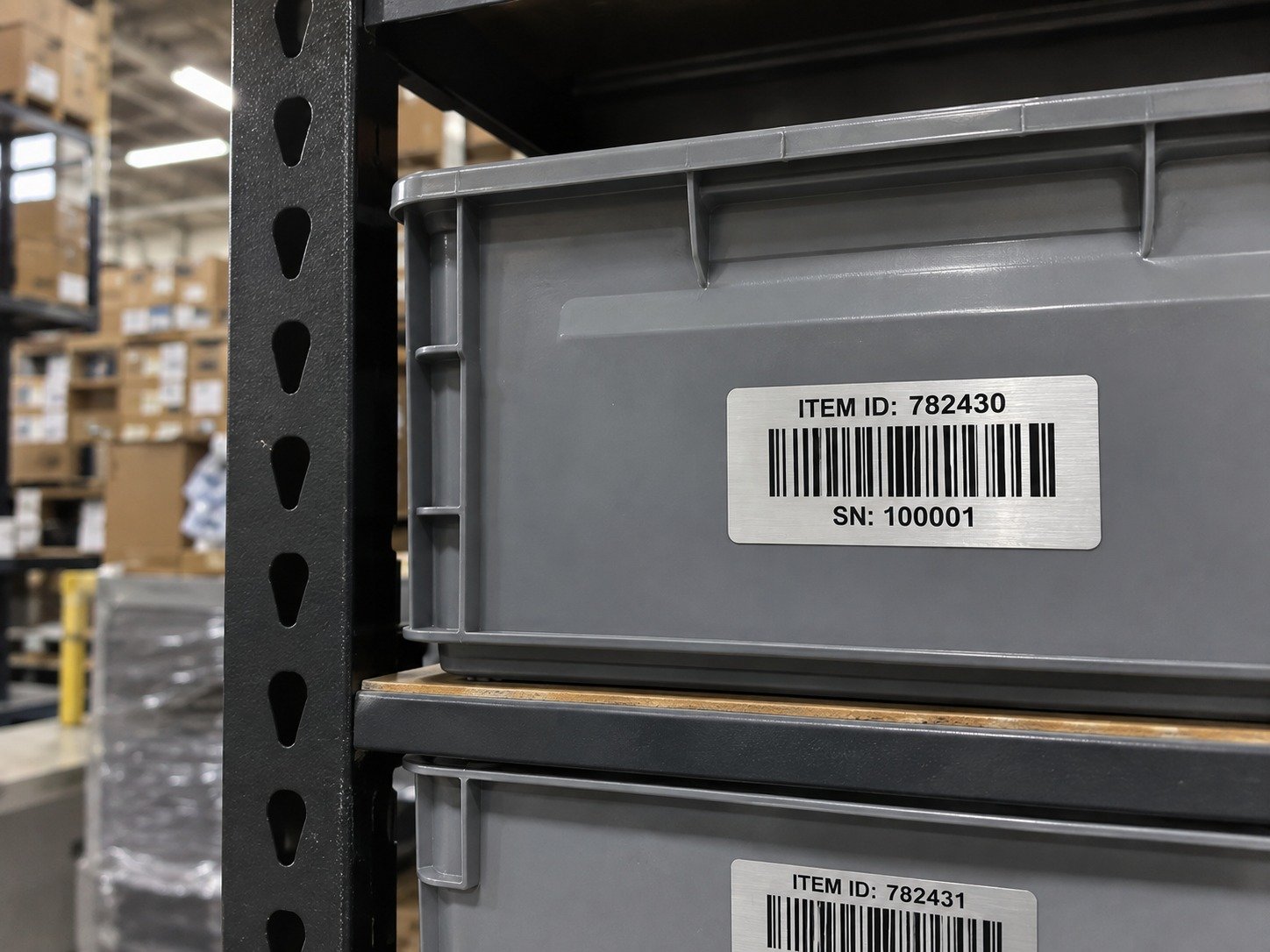
Carton, order, location, and dispatch information.

Unique QR URLs, coupon codes, or personalised campaign messages.
| Application | Typical Variable Data | Relevant StikTec Product Direction |
|---|---|---|
| Product packaging | SKU, flavour, date, batch code, barcode | Pressure-sensitive labels and roll labels |
| Industrial equipment | Model, serial number, rating data | Nameplates and identification labels |
| Asset tracking | Asset ID, barcode, location code | Asset tags |
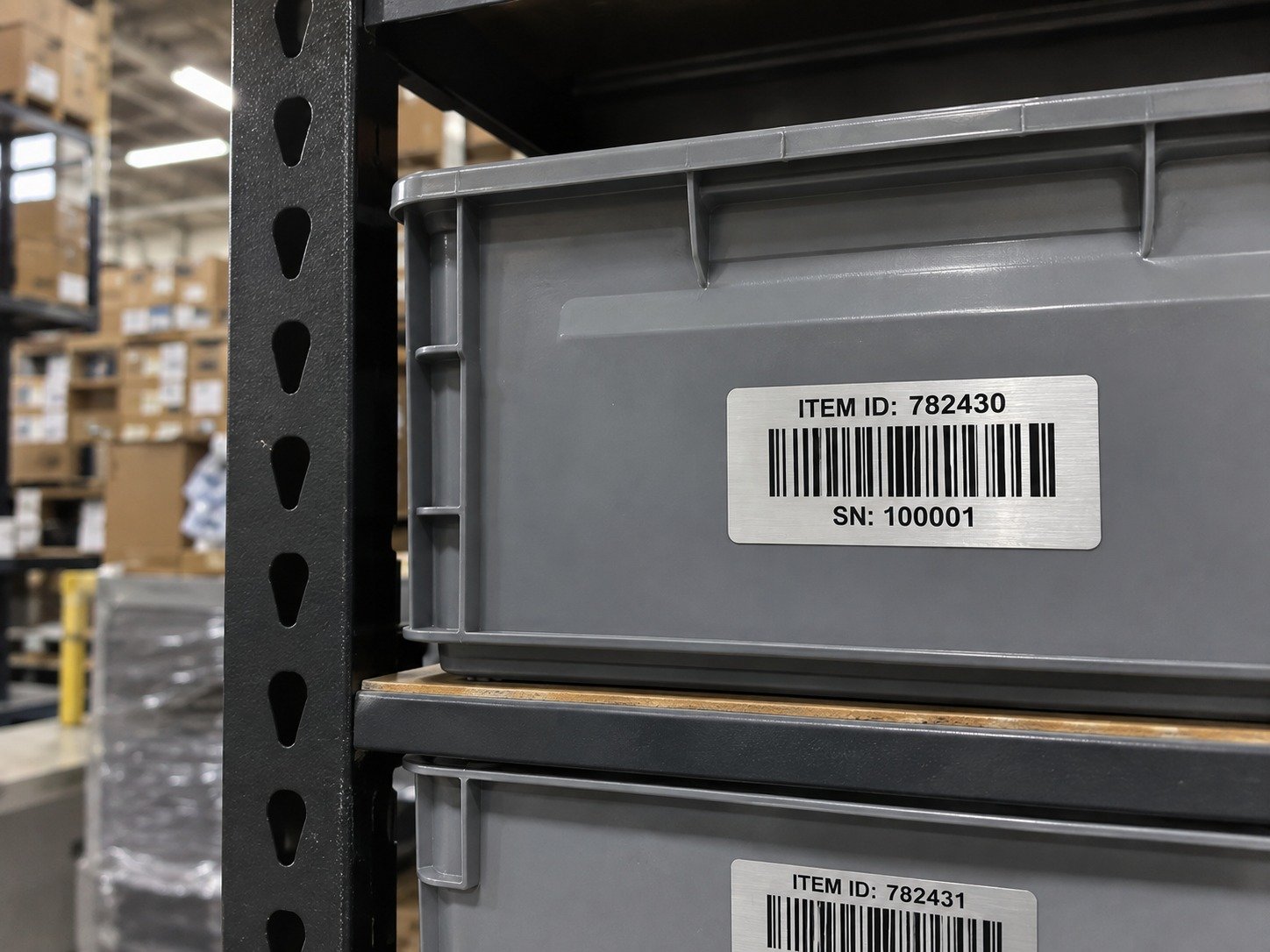
| Logistics | Carton ID, order data, location data | Barcode labels |
Security function does not arise from a code alone. Any security outcome depends on the complete system, data governance, access control, and verification process defined by the buyer.
Data preparation
Controlled source data is the foundation of a reliable VDP project. The print file can only reproduce information supplied or generated under the agreed sequence rules. Treat the final source as a controlled project record, not as an informal list copied between teams.
| Serial_Number | Batch_Code | Barcode_Data | QR_URL |
|---|---|---|---|
| ST-000001 | LOT-2026-10-A | 9501234560001 | example.com/product/000001 |
| ST-000002 | LOT-2026-10-A | 9501234560002 | example.com/product/000002 |
| ST-000003 | LOT-2026-10-A | 9501234560003 | example.com/product/000003 |
Quality review
Artwork approval, data approval, and code validation are related but not identical. Artwork approval confirms the fixed template. Data approval confirms the supplied records, range, and mapping rules. Code review confirms the agreed symbol requirements where a barcode or QR code is involved.
Before quotation and production, define any barcode grading, scan testing, serialisation reconciliation, secure-code handling, or formal compliance-documentation expectation. Variable data printing does not automatically make a barcode correct or scannable; the buyer must confirm application-specific data, barcode, material, and verification requirements.

| Review Area | What to Check | Buyer Decision |
|---|---|---|
| Artwork | Logo, fixed text, colours, dimensions, material callouts | Approve the label template |
| Data | Number sequence, dates, IDs, duplicates, and column mapping | Approve the source-data file |
| Human-readable text | Readability and intended-value match | Define required text format |
| Barcode or QR code | Correct symbology, content, size, contrast, and application requirement | Define verification or scan-test expectation |
| Material | Adhesion, durability, surface, and environmental exposure | Confirm application conditions |
| Records | File version, quantity, range, and handover needs | Define traceability documentation needs |

Materials and formats
Variable data can be applied to different label formats and material choices, but suitability depends on product surface, code readability, exposure conditions, adhesive needs, and application method. A code positioned on a curved, textured, reflective, or laminated surface may require a different discussion than a code on a flat carton.
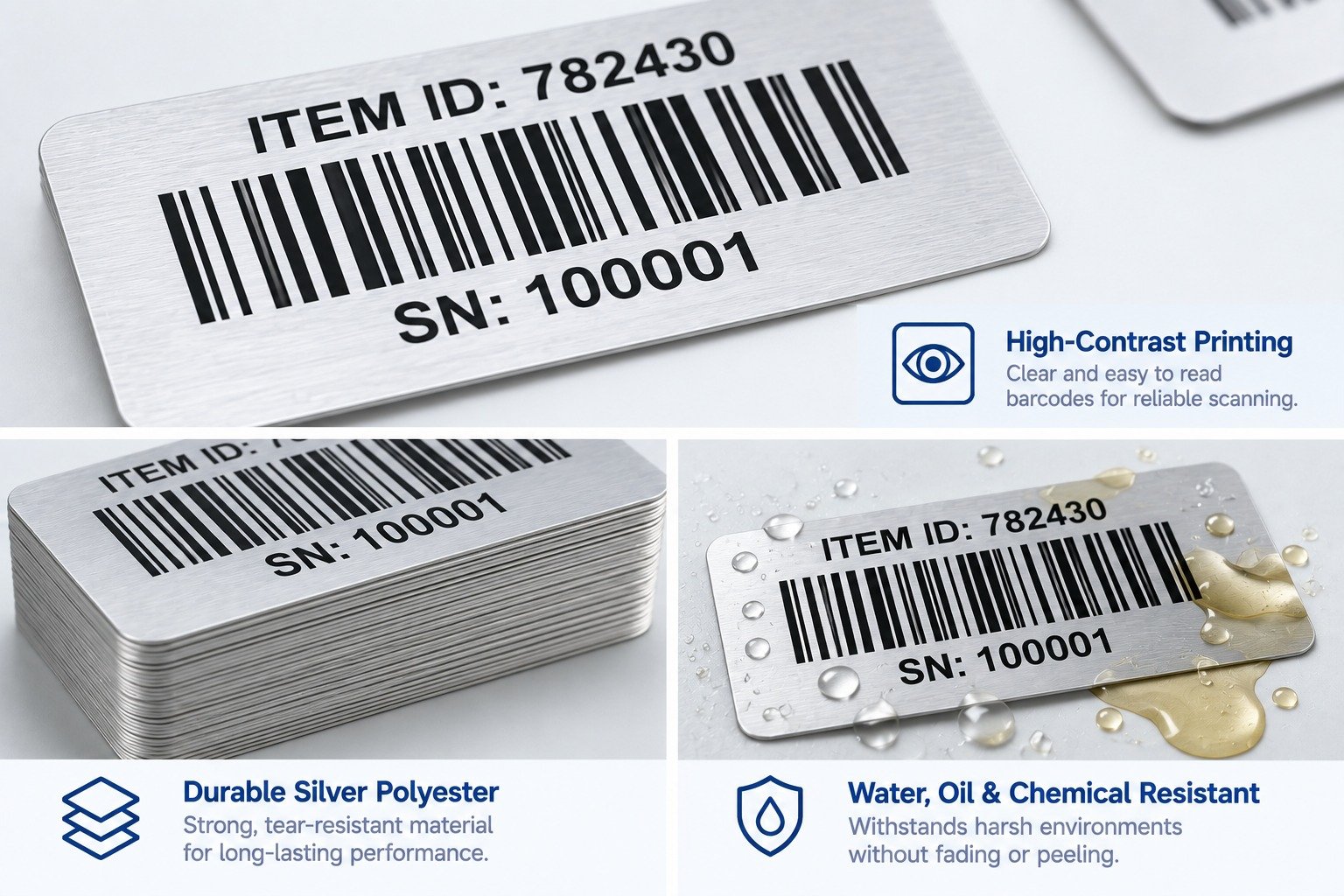
PET material can be discussed for durable identification and equipment labels. PVC material can be considered for general label and graphic applications. PC material can be relevant to overlays and control-panel graphics. These are starting directions, not automatic performance claims; the complete application must be reviewed.
Roll labels can support machine or repeated manual application. Sheet labels can suit short runs or manual workflows. Individual labels can suit asset tags and distinct identifiers. Confirm label direction, core, dispensing, packing, and application process where relevant.
| Option | Possible Use | Planning Consideration |
|---|---|---|
| PET material | Durable identification and equipment labels | Review surface, finish, and exposure requirements |
| PVC material | General labels and graphics | Confirm application conditions and buyer specifications |
| PC material | Graphic overlays and panel applications | Confirm operational environment and graphic requirements |
| Matte finish | Reduced glare in some applications | Review code contrast and visual requirements |
| Glossy finish | Branded packaging presentation | Check reflections and scan expectations |
| Lamination | Surface-protection planning | Confirm effect on readability and use |
Project planning
Data ownership and handover
A VDP program often involves more than one business function. Marketing or product teams may own permanent artwork. Operations may own serial or asset data. Procurement may own the supplier brief. Quality may own review criteria. When responsibilities are not stated, a revised spreadsheet can reach production after the artwork has already been approved, or an operator may interpret a number range differently from the data owner.
A useful handover identifies one approved artwork version and one approved data version. It records the number of output records, expected quantity, start and end values where relevant, field mapping, date format, and any exception rule. It also states who can authorise a late revision. This does not need to be complex: a concise cover note, file name, revision date, and a few agreed fields can prevent confusion.
For each value, identify the source of truth. The source may be a buyer-maintained spreadsheet, a controlled system export, an approved sequence statement, or an existing equipment record. Avoid manually retyping values into a layout after the data file has been approved. Manual transcription adds another uncontrolled step and makes it difficult to reconcile a later question about a particular label.
The number of data records is not always the number of labels ordered. A record may be repeated, a sheet may contain several labels, or labels may be supplied with spares. State whether every record appears once, whether an entire set is repeated, whether voided records are excluded, and whether a report of supplied values is needed. This is particularly important for serial number labels, asset tags, and product traceability labels.
| Handover Item | Why It Matters | Example Buyer Instruction |
|---|---|---|
| Artwork revision | Prevents a new data file being paired with an old design. | Use label-artwork-v3.pdf only. |
| Data revision | Identifies the approved record set. | Use asset-register-2026-10-14.csv only. |
| Sequence rule | Defines generated values unambiguously. | Start AT-010001, increment by 1, quantity 2,000. |
| Record count | Separates unique records from final label quantity. | 500 IDs, each printed twice. |
| Exception rule | Clarifies how missing or cancelled records are handled. | Do not replace omitted values without written approval. |
| Handover record | Supports internal traceability after delivery. | Return produced range and final quantity with shipment. |
Buyer decisions
Buying teams can reduce repeated design revisions by answering practical questions while the layout still has room to change. A field that is only six characters in a sample may be twenty characters in a live system. A code that scans well on a white proof may be applied to a curved, glossy, textured, or dark product surface. A batch field may require a different text size than a serial field. Early answers give artwork and sourcing teams a usable boundary.
Provide the maximum expected length, not just an average. Include the longest prefix, suffix, product name, location, date, or URL. Explain whether spaces, dashes, leading zeroes, accented characters, or non-Latin characters may appear. If a field can be blank, define whether the label should show an empty area, a placeholder, or a different approved message.
Some workflows require a visible serial number that matches the value encoded in a barcode. Others need a shortened displayed value, a separate product description, or a batch code that is readable to operators but not encoded in the same symbol. State the relationship rather than assuming it. The content owner should approve both visible and encoded values.
Share the label surface and use environment early: flat or curved, smooth or textured, indoor or outdoor, manual or automated application, dry or exposed to cleaning, temporary or long-term. Variable data is one part of the label; material, adhesive, finish, and placement still determine how the physical label is used.
Define what will be reviewed before production release. This can include a digital proof, a sample with representative variable values, an agreed scan check, a packing format, or a record list. The appropriate criteria depend on the buyer's workflow. StikTec should receive the criteria rather than infer regulatory, verification, or performance requirements.


Risk reduction
Most VDP mistakes are avoidable when artwork and data are reviewed as one controlled project. The most common failures are not advanced technical problems: they are unapproved files, ambiguous sequence rules, missing leading zeroes, incorrect mapping, and code requirements that are never defined.
Make the review practical. Ask what the longest record is, whether a code must be scanned on a curved surface, who owns the source data, and what happens if a record is missing. A short, explicit answer to each question saves time compared with correcting a label after production.
| Common Issue | How to Reduce the Risk |
|---|---|
| Missing or duplicated serial numbers | Review record counts and duplicate values before approval. |
| Lost leading zeroes | Format identifier columns as text where appropriate. |
| Text that does not fit | Review the longest expected value in the field. |
| Barcode data differs from visible text | Define a source of truth and compare both values. |
| Code too small or crowded | Confirm symbol size, quiet zones, and final placement. |
| Incorrect date format | Approve an explicit date format such as YYYY-MM-DD. |
| Wrong file version | Use controlled file names and revision approval. |
| Material not suited to environment | Define temperature, moisture, chemical, UV, abrasion, and surface conditions. |
| Unclear sequence rule | Specify start, end, prefix, suffix, step, and quantity. |

FAQ
Variable data printing keeps a shared design while changing selected text, numbers, codes, images, or fields across a print run. It is commonly used for serial numbers, batches, barcodes, QR codes, asset IDs, and product-specific records.
Standard label printing generally repeats identical content. VDP printing uses approved artwork plus a data source or sequence rule, so individual labels or batches can differ in defined fields.
Yes, provided the buyer defines the correct data, symbol type, physical size, placement, and required verification approach. Variable data printing does not automatically make a barcode correct or scannable.
A controlled spreadsheet or CSV is often practical. Include clear column names and preserve leading zeroes. A database export or approved sequence rule can also be used when fields and output rules are defined.
Confirm artwork, data version, field mapping, longest value, quantity, material, finished size, and code requirements. Buyers should confirm application-specific data, barcode, material, and verification requirements before production.

Summary
Variable data printing helps one custom label design carry useful differences between products, batches, assets, locations, and customer records. It is a practical option for serial number labels, barcode label printing, QR code labels, batch number labels, and product traceability labels when fixed artwork and changing data are controlled together.
Start with the requirements that matter most: field list, source-data version, numbering rule, label size, material, application surface, code requirements, and review responsibilities. Confirm the complete application before production rather than relying on a visual mock-up alone.
Discuss a variable-data projectProject inquiry
Share your artwork, required fields, data format, label size, material preference, quantity, product surface, and code requirements. StikTec can discuss the label construction and data handover process around your buyer-defined brief.
Related articles