
Force-versus-travel diagram for a tactile membrane switch key with initial force peak force and return response

Overview

What Is Membrane Switch Actuation Force?

Direct definition: Membrane switch actuation force is the amount of force needed to activate a switch key. In a tactile membrane switch, it is often associated with the force needed to collapse a metal or formed dome. In a non-tactile membrane switch, it can be influenced by overlay flexibility, spacer design, and the contact structure.

In practical design discussions, the force target helps describe what users experience when they press a key. It can affect comfort, confidence that a press registered, resistance to unintended input, and the perceived quality of a control panel. It is useful only when considered alongside the complete layer stack and actual use conditions.

A tactile force curve may be described using initial force, a peak or snap point, response after collapse, and return behavior. Those terms are useful for communication, but a drawing or dome reference alone does not define the final user experience after the switch is assembled into its final enclosure.

What actuation force can influence

  • User comfort and repeated-use fatigue.
  • Confidence that a press was registered.
  • Prevention of unintended input.
  • Operation with gloves and in low-light conditions.
  • Perceived product quality and key differentiation.
  • Compatibility with visual, audible, or software feedback.
TermMeaning
Initial forceForce felt as the user begins pressing the key.
Peak or snap forceHighest force point before a tactile dome collapses, where applicable.
Return forceForce behavior as the key returns after release.
Key travelDistance the key moves during pressing.
Tactile responsePhysical sensation that helps a user recognize actuation.
Non-tactile responseMinimal physical feedback supported by visual or audible confirmation.
Force targetThe agreed project requirement for a particular key or key group.

Interface planning

Why Actuation Force Matters in Membrane Switch Design

Actuation force is part of the complete user-interface experience. A key pressed by an operator wearing gloves in a noisy facility may need to be reviewed differently from an appliance key pressed with bare fingers beside a bright display. Neither a lighter nor heavier feel is universally correct.

Project teams should identify the user, task, consequence of a missed or unintended press, frequency of use, and available system confirmation. That gives engineers and procurement teams a practical basis for comparing a tactile construction with a flat or non-tactile one.

Questions Before Selecting Actuation Force

  • Who will operate the panel and will they wear gloves?
  • How often will each key be pressed?
  • Does the system provide a beep, light, screen change, or other confirmation?
  • Is accidental activation a concern?
  • Is the interface used while standing, moving, or wearing protective equipment?
  • Are all keys intended to feel the same?
  • Is a physical prototype required for user evaluation?
Industrial operator wearing gloves pressing tactile membrane switch keys on a control panel
Product RequirementActuation Force Consideration
Frequent bare-hand useExcessive force may increase user fatigue.
Gloved operationThe key may need clear feedback through gloves.
Noisy environmentPhysical feedback may matter when sound feedback is limited.
Low-light operationTactile location features and key feel may become more important.
Vibration or movementThe interface may need to reduce accidental actuation.
Safety-related functionKey action and confirmation should match the project risk analysis.
Industrial control panelOperator feedback and environmental conditions may influence the target.
Comparison of tactile metal dome membrane switch and flat non-tactile membrane switch construction

Switch type

Tactile vs Non-Tactile Membrane Switches

Tactile and non-tactile designs can both be effective when they match the user experience and product function. Tactile keys can offer a physical snap, click, or response from the key structure. A flat design may instead rely on a display, indicator, sound, or product behavior to confirm an action.

Embossing may help a user locate a key, but embossing alone does not automatically create the same tactile response as a dome-based switch. The design decision should be based on the intended interaction, not a general assumption that one construction is better.

Prototype focus: Compare the intended tactile response or non-tactile confirmation under representative user conditions. A finished product should feel consistent with its function, graphics, enclosure, and feedback system.
FeatureTactile Membrane SwitchNon-Tactile Membrane Switch
User feedbackPhysical snap, click, or response from the key structure.Usually relies on visual, audible, or system feedback.
Key constructionMay include metal domes or formed polyester domes.May use a flat or lightly embossed contact area.
Force focusDome and full layer stack influence feel.Overlay flexibility, spacer, and contact structure influence response.
Prototype priorityEvaluate physical feel and press consistency.Evaluate prevention of false presses and system feedback.
Typical questionDoes the click feel clear and comfortable?Does the user know when the function has activated?

Tactile construction

How Metal Domes Affect Actuation Force

Metal domes are commonly used in tactile membrane switch constructions. When pressed, a dome deforms to create an electrical connection and a physical snap response. Its nominal force is a useful reference for a project, but it is not necessarily the same as the final force felt by a user after the full switch is assembled.

Dome behavior can be influenced by geometry, diameter, height, material construction, leg configuration, contact arrangement, retention method, overlay stiffness, spacer design, key-top geometry, and the support beneath the switch. These factors need to be reviewed as a construction rather than chosen independently.

Dome review points

  • Dome shape, footprint, and possible tactile response.
  • Contact arrangement and circuit compatibility.
  • Retainer layer and key-center alignment.
  • Overlay stiffness and embossed key geometry.
  • Support from the backer or final enclosure.
  • Prototype comparison and agreed acceptance criteria.
Stainless steel metal domes in different shapes and sizes for tactile membrane switch keys
Dome Selection FactorWhy It Matters
ShapeCan affect feel, contact area, and response behavior.
DiameterInfluences key footprint and possible tactile response.
HeightCan influence travel and snap sensation.
Material constructionCan affect durability and force behavior.
Force referenceProvides a reference for selecting a tactile response target.
Retainer and overlayCan alter positioning, resistance, and perceived force.
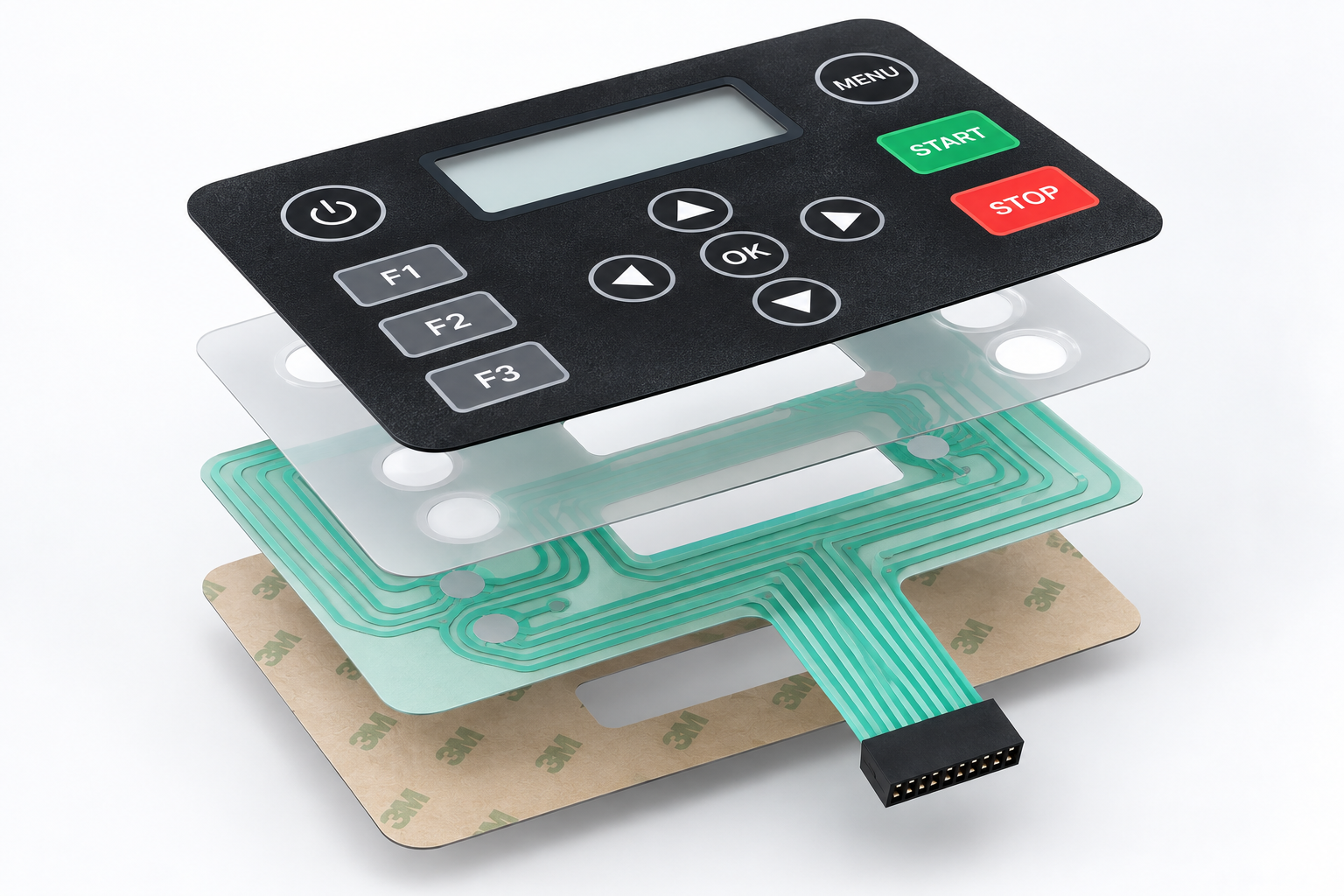
Exploded membrane switch layers showing overlay dome spacer circuit and rear adhesive effects on key feel

Complete construction

How the Layer Stack Changes Key Feel

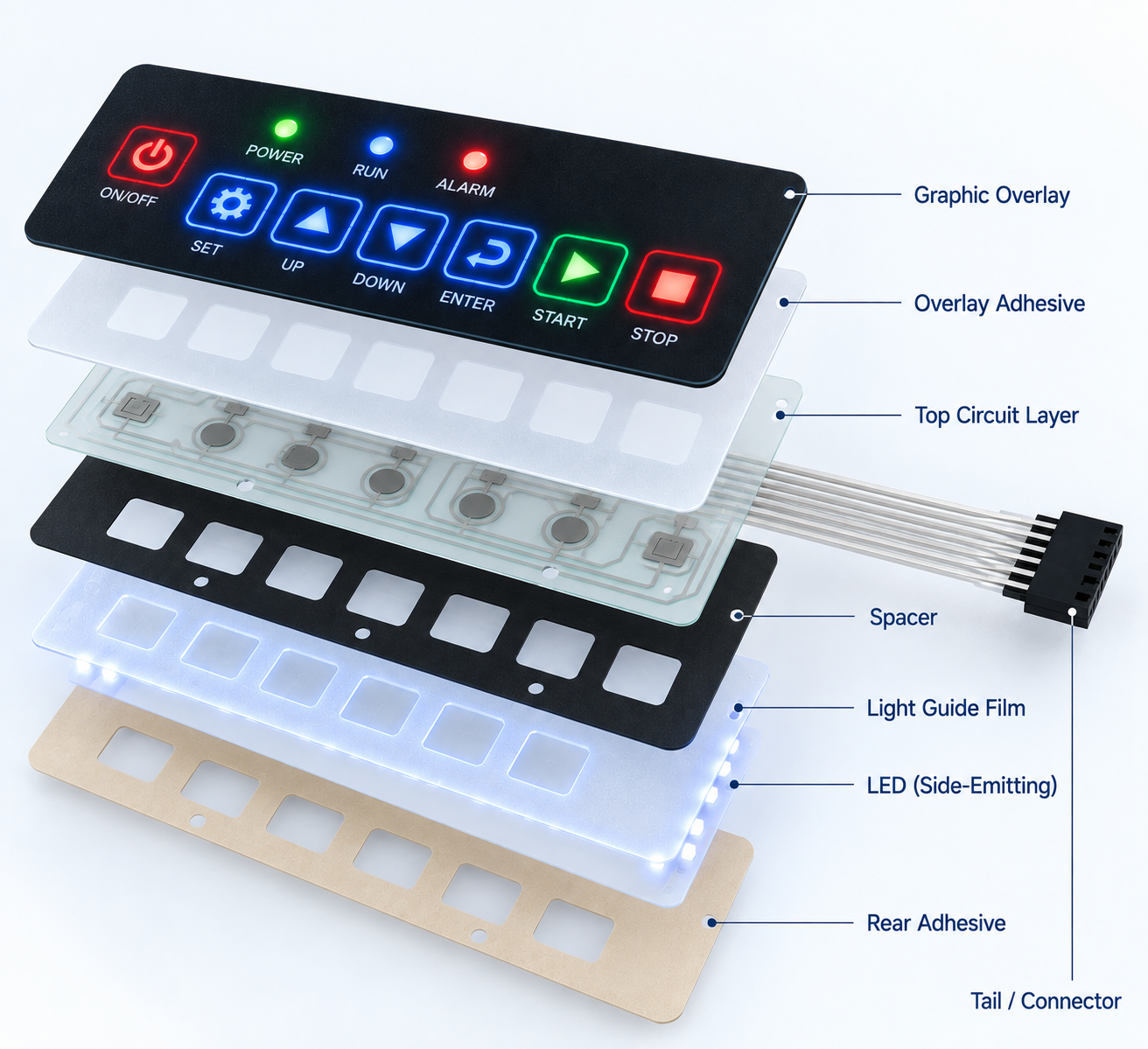
The final actuation experience comes from the complete membrane switch stack, not one component alone. The graphic overlay, embossing, adhesive, dome layer, spacer, circuits, rear adhesive, rigid backer, and enclosure each affect how the key is supported and perceived.

For this reason, a dome specification should not replace a prototype review. The apparent key feel can change when an overlay gets thicker, a texture is introduced, an embossed border is revised, or the installed enclosure provides different support below a key area.

Layer-stack confirmation checklist

  • Confirm overlay material and surface finish.
  • Define whether embossing is required.
  • Identify tactile dome or non-tactile structure.
  • Review spacer openings and key geometry.
  • Confirm the final installation surface and enclosure support.
  • Review panel behavior after assembly.
Layer or FeaturePossible Effect on Actuation Experience
Graphic overlayMaterial, thickness, texture, and stiffness can affect press feel.
EmbossingCan help finger location and alter surface perception.
Overlay adhesiveCan influence construction thickness and flexibility.
Dome retainerHolds domes in position where used.
Spacer layerDefines separation and key-travel characteristics in selected designs.
Circuit layersContact geometry can affect electrical activation.
Rigid backer or enclosureCan influence support beneath the key area.

Human factors

Consider Key Size and User Ergonomics

Key size, spacing, position, and grouping influence how users perceive actuation force and feedback. A key can feel different when an operator reaches across a panel, presses it with a gloved hand, or uses it in a repeated sequence. Important functions also need sufficient visual and tactile differentiation.

Prototype reviews should include real operating tasks rather than a single isolated press. A team can compare adjacent keys, common sequences, and critical functions while observing comfort, missed presses, accidental presses, and clarity of feedback.

Prototype User Review Tasks

  • Press each key with bare hands.
  • Press each key while wearing relevant gloves.
  • Use the interface under expected lighting conditions.
  • Perform common operating sequences.
  • Identify accidental presses or missed presses.
  • Compare user feedback across key groups.
  • Record comfort, clarity, and response observations.
Ergonomic membrane switch keypad with spaced tactile keys and embossed key boundaries
Ergonomic FactorPrototype Review Question
Key sizeIs the press area large enough for the intended user?
Key spacingCan users distinguish adjacent functions accurately?
Key positionCan the operator reach the key without strain?
GroupingAre related keys easy to identify and use?
Surface textureDoes the surface support finger placement?
Embossed boundaryDoes it help users locate keys by touch?
Critical key separationAre important functions clearly differentiated?
Membrane switch control panels used with gloves in industrial cold, wet, low-light, and high-vibration environments

Application conditions

Match Key Force to the Operating Environment

User conditions and product environment should influence membrane switch actuation-force selection. Glove thickness, dexterity, lighting, vibration, operating frequency, panel orientation, and available system feedback may all alter what feels practical to a representative user.

No one force range is correct for all environments. The best approach is to define relevant conditions, build a representative sample where practical, and evaluate it with the intended users. Sealing, cleaning, temperature, vibration, or environmental performance requirements should be specified and reviewed separately for the actual project.

Operating ConditionDesign Consideration
Bare-hand operationBalance comfort, speed, and clear feedback.
Heavy glovesEnsure key location and feedback remain usable through gloves.
Cold environmentEvaluate user dexterity and response under project conditions.
Wet environmentConfirm relevant sealing and surface requirements separately.
High vibrationConsider unintended presses and feedback needs.
Noisy or low-light operationPhysical, visual, or illuminated feedback may become more important.
Frequent useEvaluate fatigue, repeatability, and comfort.

Confirmation system

Combine Physical Feedback with System Feedback

Actuation force is only one part of confirming successful user input. Tactile response can help a user feel a key event, while an LED, display change, audible tone, haptic response, or software action can communicate what the product did after the press.

A lower or higher mechanical force does not replace the need for clear system feedback where the product function requires confirmation. Review the complete user journey: locate the key, press it, recognize the response, and understand the result.

Membrane switch panel showing tactile key feedback with LED indicator and display confirmation
Feedback TypeFunctionPrototype Review Question
Tactile feedbackPhysical snap or key response.Does the user clearly feel the actuation?
Visual feedbackLED, display change, icon illumination, or indicator.Is confirmation visible under expected lighting?
Audible feedbackBeep, click, or system sound.Is feedback appropriate for the environment?
Haptic feedbackVibration or similar physical response.Is it clear without being distracting?
Software responseScreen update or function result.Does the system respond clearly?
Engineer testing membrane switch actuation force and tactile feedback on a prototype control panel

Validation

Test Actuation Force with a Prototype

Physical samples are often the most useful way to validate key feel. A written target alone may not capture how the completed switch feels in its final enclosure. If more than one response is under consideration, prepare controlled prototype variations and compare them against the same operating task.

  1. Define users and environment. Identify representative operators, tasks, gloves, lighting, and installation conditions.
  2. Prepare variations. Keep clear revision records when comparing tactile responses.
  3. Install representatively. Use the target enclosure or a relevant fixture where possible.
  4. Perform user tasks. Test common sequences, critical keys, and expected conditions.
  5. Record observations. Capture comfort, clarity, false presses, and system confirmation.
  6. Approve responsibly. Confirm the chosen construction and acceptance criteria before production.
Test AreaObservation to Record
Key identificationCan users locate the intended key?
Press comfortIs repeated operation comfortable for representative users?
Tactile clarityIs the physical response noticeable and consistent?
False pressesAre unintended presses observed?
System confirmationDoes the product clearly acknowledge the input?
Enclosure supportDoes installation change the feel of the key?
Revision decisionWhat changes are required before release?

Engineering handoff

Document Actuation Force Requirements

A project should document the desired user experience and measurable requirements together. A force value alone may not describe the complete tactile requirement. Record what each key must do, who uses it, what feedback is expected, which layer stack is being reviewed, and how approval will be made.

Final drawings and specifications should be reviewed by the responsible engineering and quality teams before production. A prototype or sample can support a decision, but it does not guarantee final production results without confirmed construction and acceptance criteria.

Membrane switch engineering specification sheet showing key force tactile feedback overlay and dome requirements
Requirement AreaWhat to Document
Switch typeTactile, non-tactile, or mixed-key construction.
Key functionFunction assigned to each key or key group.
User conditionBare hand, gloves, frequent use, emergency use, or other condition.
Tactile requirementDesired feedback, snap feel, or absence of tactile response.
Force targetProject target and permitted variation, if defined.
Overlay and dome directionMaterial, finish, embossing, dome type, and key geometry.
Circuit and connectorKey map, contact arrangement, tail, pinout, and connector details.
Test and acceptancePrototype method, approver, and required approval outcome.
Membrane switch design review showing overlay stiffness dome selection glove testing and enclosure fit considerations

Design control

Avoid Common Actuation Force Mistakes

The most common problem is treating a force value as the entire requirement. A better project review accounts for the full construction, the real enclosure, and the operator who will use the control panel. It also maintains revision control so the approved artwork, circuit, and prototype are part of the same decision.

Better review habits

  • Use the complete layer stack, not only a dome reference.
  • Evaluate overlay stiffness, texture, and embossing together.
  • Test representative gloves and user tasks when relevant.
  • Review physical feel alongside visual and audible confirmation.
  • Record construction changes and acceptance decisions by revision.
Common IssueBetter Approach
Choosing force from a catalog number aloneEvaluate the complete construction and actual user experience.
Ignoring overlay stiffnessReview material, thickness, texture, and embossing together.
Treating dome force as final user forceConfirm feel after full assembly and enclosure installation.
Using one force for every key without reviewConsider key function, criticality, and user conditions.
Skipping glove testingTest with representative gloves when relevant.
Testing only on a flat sampleTest in a representative enclosure or fixture.
Leaving acceptance criteria unclearDefine prototype objectives and approval standards early.

B2B selection guide

How to Request a Membrane Switch with the Right Key Force

A supplier can review a membrane switch project more effectively when the inquiry connects user needs with the electrical and mechanical design. The goal is not to select a universal force value; it is to provide enough context for a project-specific construction discussion and prototype plan.

  1. Define the application and user environment.
  2. Identify key count, key functions, and critical actions.
  3. Decide whether tactile feedback is required.
  4. Describe users, glove use, and operation frequency.
  5. Share overlay, graphics, texture, and embossing requirements.
  6. Provide circuit logic, tail, connector, and enclosure information.
  7. Define prototype, test, and acceptance requirements.
  8. Confirm approved construction details before production release.
OEM buyer preparing membrane switch actuation force requirements with prototype drawings and key maps

Information to Include in Your Inquiry

  • Product application, panel dimensions, enclosure details, and installation surface.
  • Key count, key map, tactile or non-tactile direction, and user conditions.
  • Artwork, legends, icons, colour references, embossing, texture, and display windows.
  • Circuit schematic, tail exit, pinout, connector, indicators, or backlighting if applicable.
  • Environmental, cleaning, vibration, prototype quantity, acceptance criteria, and expected quantity.
Frequently asked questions about membrane switch key force tactile feedback metal domes and prototype testing

FAQ

Frequently Asked Questions About Membrane Switch Actuation Force

It is the force needed to activate the intended electrical contact or tactile response of a membrane switch key. In a tactile construction, it is often discussed with the dome response; in a non-tactile construction, overlay flexibility and contact design may be more influential. The project target should describe the final user experience, not only one component.

  • Review it with key function and user conditions.
  • Confirm it on a representative completed sample.

The full construction matters: dome type and geometry, overlay material and thickness, embossing, spacer, circuit arrangement, adhesive layers, key size, backer, enclosure support, and user conditions. A change to any of these can alter the perceived response. That is why engineering review should compare the complete layer stack and installed product context.

  • Do not isolate the dome from the final assembly.
  • Document changes by revision.

No. A dome rating is an important selection reference, but final key feel can change after the dome is combined with an overlay, spacer, circuit, adhesive layers, and installed enclosure. The user does not interact with the dome alone. Compare actual samples before confirming the production construction and acceptance criteria.

  • Use the dome rating as a starting reference.
  • Validate the finished interface.

The choice depends on required physical feedback, user conditions, system confirmation, product function, and user testing. Tactile keys can provide a physical response, while non-tactile designs can be effective with clear visual, audible, or software feedback. Neither construction is automatically better for every application.

  • Identify confirmation needs.
  • Test representative user tasks.

Overlay material and stiffness can add resistance or change how a tactile response is perceived. Texture, embossing, adhesive, key geometry, and support beneath the switch can contribute too. Evaluate the effect within the completed layer stack rather than inferring final feel from the overlay specification alone.

  • Review material and finish with the dome or contact structure.
  • Confirm in an installed sample.

They may, but glove type, thickness, operating environment, key size, key spacing, feedback, and force target should be reviewed through representative testing. A key that is easy to locate and operate bare-handed may behave differently through protective equipment. Include real gloves in the prototype plan whenever they are relevant.

  • Test common sequences, not only one press.
  • Record missed and unintended inputs.

Testing should use a defined method and an appropriate prototype or fixture. User review should consider comfort, tactile clarity, key consistency, false presses, enclosure support, and system feedback. The exact test approach and acceptance criteria should be agreed for the project rather than assumed from a generic membrane switch description.

  • Use documented revisions and a representative installation.
  • Confirm responsible approvers before production.

Contact StikTec with your key map, enclosure details, user conditions, tactile requirements, artwork, circuit information, and prototype objectives. Available construction options and project requirements should be confirmed for the specific inquiry. Sharing the intended operating environment and approval plan helps make the technical discussion more focused.

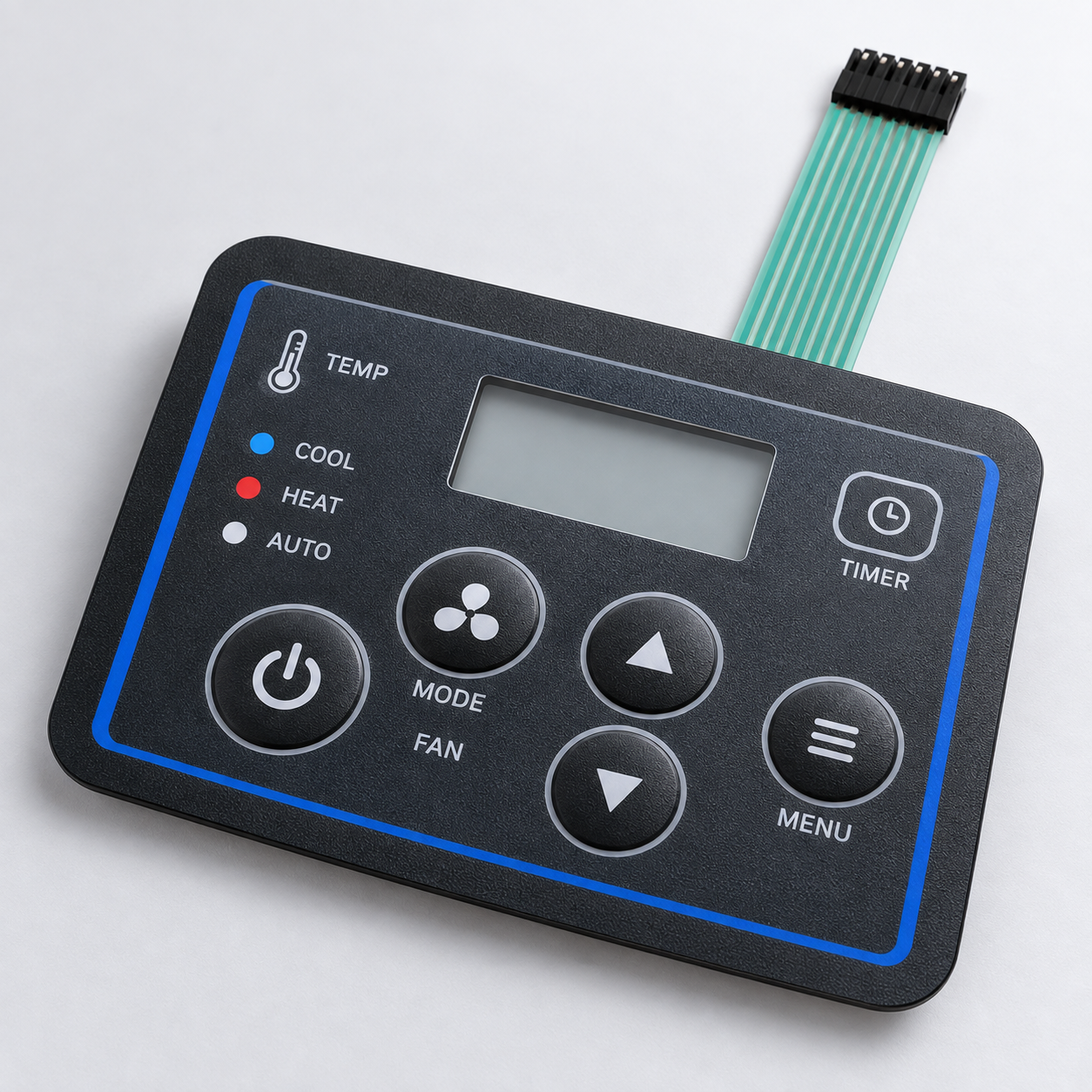
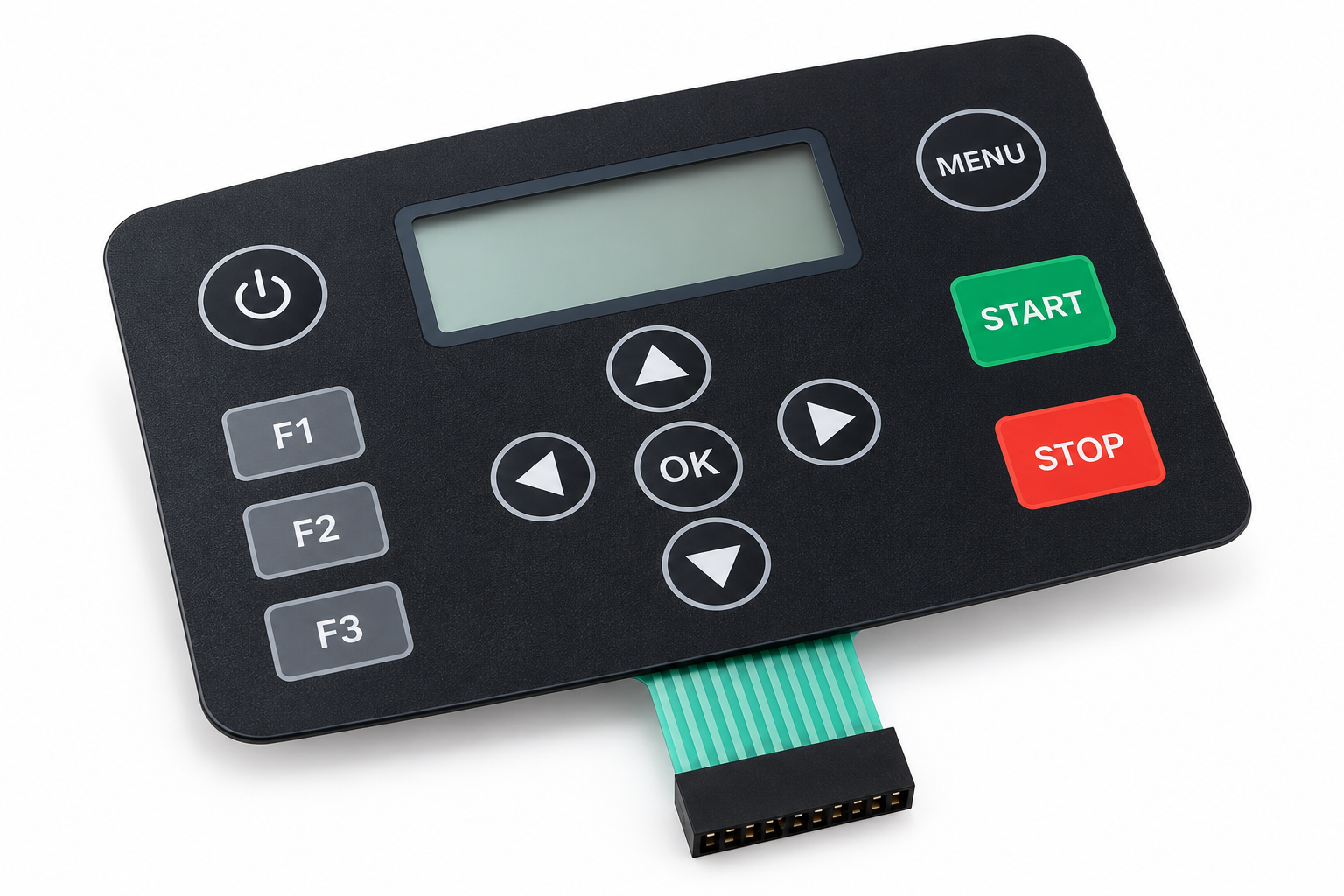
Finished tactile membrane switch control panel with clearly defined key feedback and user interface graphics

Summary

Select Membrane Switch Actuation Force with Confidence

Membrane switch actuation force is part of the complete user experience, not a standalone number. Dome force alone does not define final key feel; overlay construction, spacer layers, circuit design, key size, enclosure support, user conditions, and system feedback all matter. Tactile and non-tactile designs should be selected according to the application and how users need to confirm a function.

A representative prototype and practical user testing can help a team evaluate comfort, clarity, false presses, installation, and system response before production. Document the approved construction, revision, test method, and acceptance criteria before releasing a final design. For a custom membrane switch project, contact StikTec with your interface requirements and prototype objectives.

Discuss a membrane switch project
Membrane switch samples and engineering documents beside a project inquiry form

Project inquiry

Discuss Your Membrane Switch Requirements

Share your membrane switch dimensions, key functions, user conditions, tactile requirements, circuit details, and prototype objectives. StikTec can review the project requirements with you.

Start a conversation

Tell us what you need

Share your application, material requirements or drawing. Our team will route your request to the right specialist.

  • Emailstik@stiktec.com
  • Phone+86 13026625634
  • WhatsAppwa.link/l98mzc